|
You can specify the so-called rating for every photo &emdash; a number from 1 to 5.
The rating is assumed to show the value of the photo: a photo with the higher rating is better than one with the lower rating. Besides the rating, you can mark a photo with a color mark. It can be used for various purposes, for example, it can mark the necessity of future processing or show landscape photos.
The buttons shown in the picture are used to specify the rating
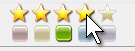
You can also use context menus and keyboard shortcuts to specify the rating and color marks.
The customizable filter is used to filter images. In the picture, you can see the filter customized so that only photos with the rating of 4 or higher and with the green or red color mark are shown in the list
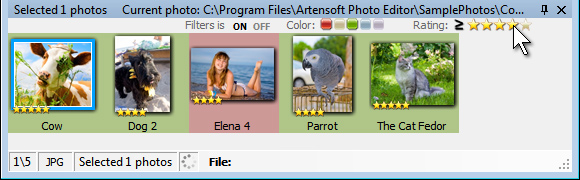
To enable or disable the filter, you should click the ON/OFF label respectively.
|


 Online Help
 User interface