|
Why Should I Register Artensoft Photo Editor?
Registered version benefits:
-
no nag-screen;
-
no functional limitations;
-
no reminders that the version is unregistered;
-
customer support;
-
free upgrade to any minor version 1.x.
How To Register Artensoft Photo Editor?
You need a registration key to register Artensoft Photo Editor. To get a registration key, you will have to pay for a license for the program here:
https://www.artensoft.com/ArtensoftPhotoEditor/purchase.php
After you pay for the license, we will send you to your e-mail address the registration key you will have to enter in the registration page.
To enter the registration key in the registration page, do the following:
1. Copy the registration key received by e-mail to the clipboard.
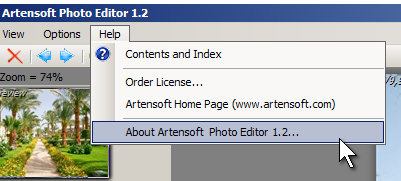
2. Open the window "About Artensoft Photo Editor ..." from main manu:
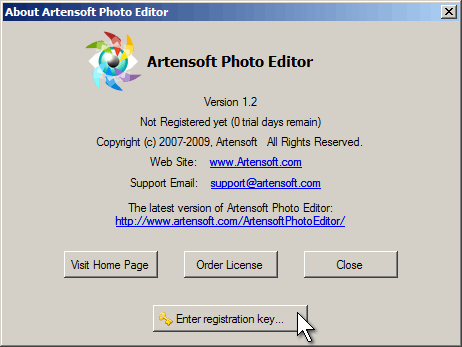
3. Press Enter registration key button to open the registration window.
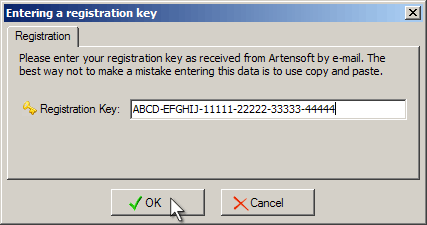
3. Paste the registration key from the clipboard into the registration window and click OK button.
|


 Online Help
 User interface